
360 video
A 360 video platform adds movement and a short slow motion clip to your stand or function floor. We supply branded setups for expos, launches and corporate year-end functions, with an attendant on site and instant QR sharing.
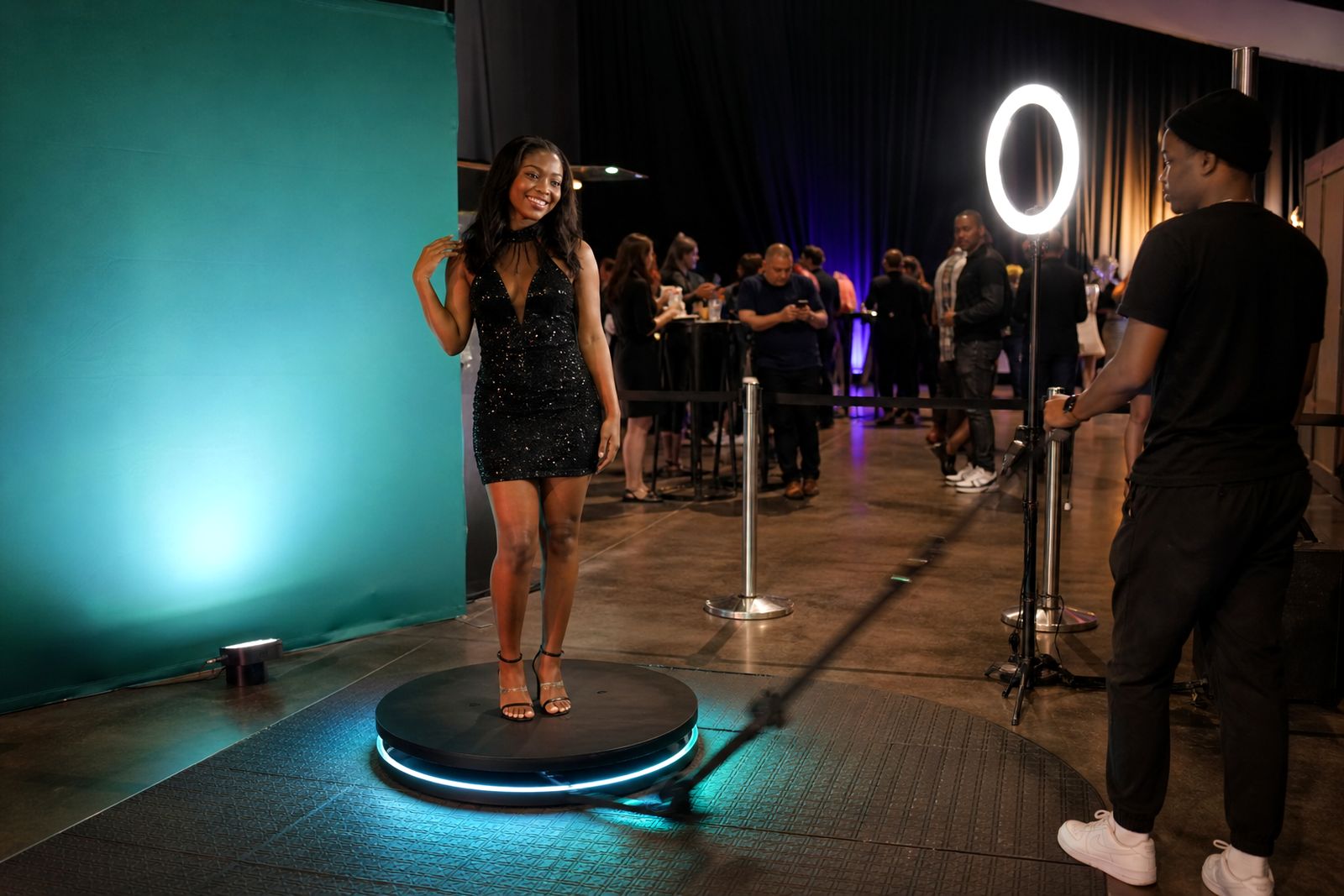
What a 360 video setup includes
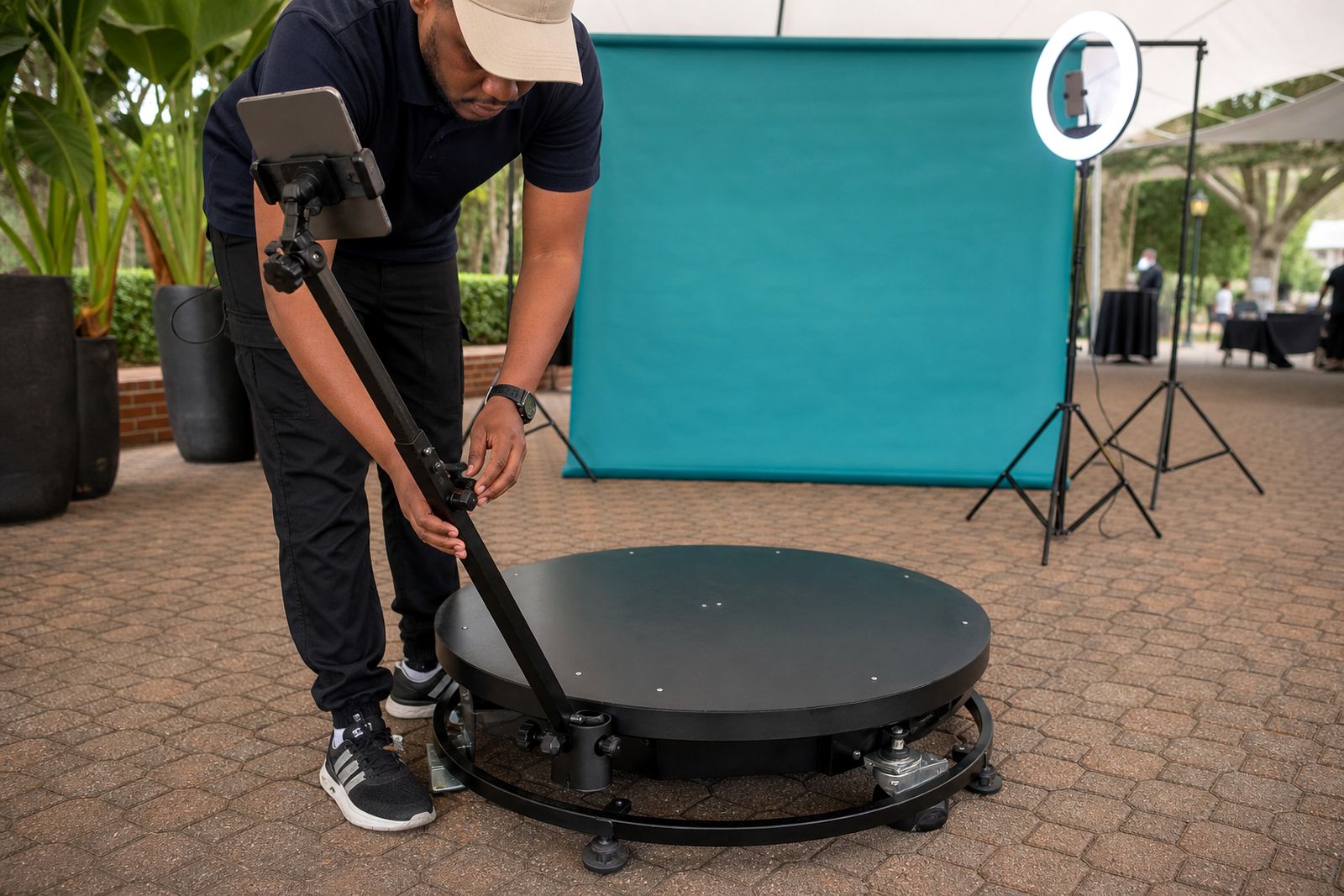
A 360 video platform uses a fixed standing platform and a rotating arm camera to capture a short clip from all angles. Guests step on, hold a pose or make a small movement, and the final result is processed into a shareable video with your artwork applied as an overlay, end frame or intro screen.
For Johannesburg events, the setup is handled on site by our attendant so the queue keeps moving and the platform area stays organised. The clip is delivered straight away by QR code, which works well for exhibition stands and launches where people want something quick before moving on to the next activation.
- Rotating arm capture around one guest or a small group
- Slow motion effect for a polished final clip
- Branding matched to your stand artwork or function theme
- On-site attendant to guide guests and manage flow
- Instant QR sharing after each session
Best fit for expos, launches and year-end functions
The 360 option suits events where you want stronger visual impact than a standard still photo. At an expo stand, it helps stop passing traffic because the moving arm draws attention from a distance. At a product launch, it gives guests a branded clip they are likely to keep on their phone and share straight away. At a year-end function, it works well as a queue-based activity that keeps energy up without needing a full stage area.
Space planning matters more than many organisers expect. A 360 platform needs room not only for the base itself, but also for the swing of the arm, the attendant position and a safe waiting area. In busy halls and hotel venues this should be mapped early, otherwise service passages and fire routes can become cramped.
How to choose between 360 video and an open-air booth
If you are deciding between this section and a standard open-air booth, the choice usually comes down to floor space, queue speed and the type of branded takeaway you want. A 360 clip feels more theatrical, while an open-air booth is often faster for simple guest throughput and printed keepsakes.
- Choose 360 video if you want motion, a stronger visual draw and digital sharing by QR code.
- Choose an open-air booth if you want straightforward group photos and a simpler setup footprint.
- Choose 360 video for launches where the experience itself is part of the talking point.
- Choose an open-air booth for high-volume functions where guests may only have a minute or two.
- Choose both if you want a moving clip on one side and print output on another, which can work well at larger corporate events.
If your stand already includes product plinths, counters and demo areas, we can help you judge whether the 360 platform will fit comfortably or whether an open-air setup will be easier to run on the day.
Branding options that work on camera
Because the clip is short, branding should be clear and not overloaded. Simple overlays, legible logos and strong contrast usually work better than trying to place too much copy into the video. Where a stand already has approved artwork, we align the on-screen graphics with those colours and visual elements so the output feels tied to the rest of the activation.
Good branding for 360 video often includes a clean frame, a short call to action and a final branded end card. Physical branding around the platform can also help anchor the footage, especially in large halls where background clutter may otherwise distract from the shot.
- Logo or event mark placed within the video overlay
- Colour treatment to match stand graphics
- Branded start or end screen
- Backdrop or nearby graphic panels where space allows
Practical setup points on the day
The platform works best on a level indoor surface with reliable power nearby. In venues affected by power cuts or where generators are being switched during build-up, it helps to confirm the power plan with the organiser ahead of time. We also look at access routes, because a crowded build hall can delay setup if lifts, ramps or loading doors are restricted.
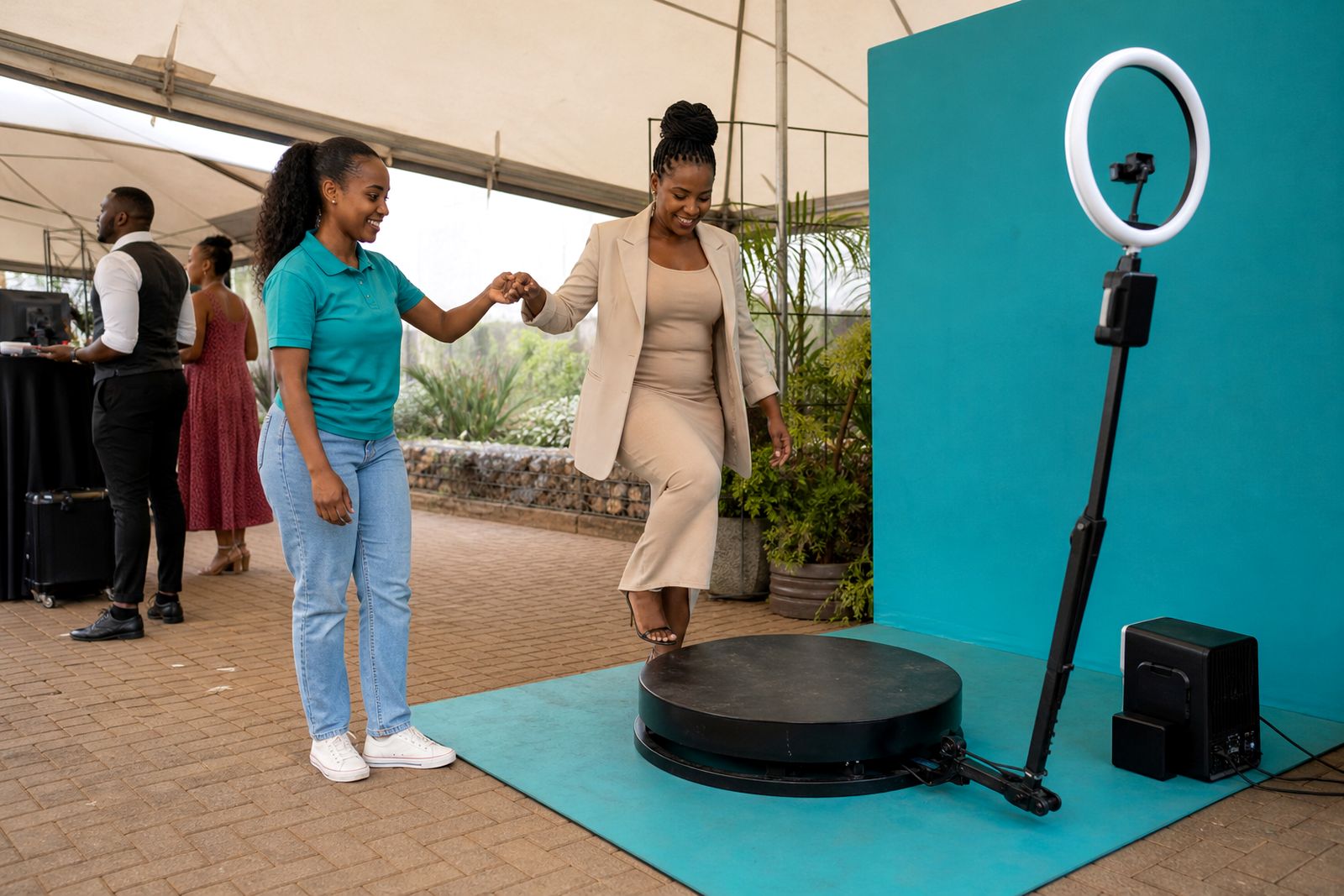
Footwear, long garments and loose items need a quick check before guests step on. The attendant manages this, explains where to stand and helps keep the movement natural so the clip looks good. A rushed setup causes problems later so a bit of planning here saves time.
- Allow clear space around the full sweep of the camera arm
- Keep queue lines away from the rotating area
- Confirm power position before doors open
- Use a flat surface, not soft flooring or uneven temporary decking
- Place the activation where people can gather without blocking aisles
Sharing and guest experience
The final step is easy collection. After filming, guests receive the clip by scanning a QR code, which keeps the process quick and reduces bottlenecks at the stand. This suits expo traffic in particular, because people can carry on walking while still taking your branded content with them.
For internal functions and launches, QR sharing also avoids a pile-up around a print collection point. Some organisers prefer to pair 360 video with a separate print station elsewhere in the venue, while others keep the activation fully digital. The better choice depends on the event format, available floor area and how much time each guest is likely to spend at the experience.
If you are not sure which route to take, use the enquiry form on our contact page and outline the event type, city, floor space and whether you want digital only or digital plus print. We will point you to the setup that makes sense for the venue and crowd flow.
What our Photo Booth Hire customers say
Verified Google reviews
Questions we get asked
How much space does a 360 video platform need?
It needs enough room for the platform, the full sweep of the rotating arm, the attendant position and a safe waiting area. The exact footprint depends on the venue layout, so send your floor plan through the enquiry form and we can advise.
Can the videos be branded with our campaign artwork?
Yes. We can apply your stand or event artwork to the video overlay and end screen so guests leave with a branded clip that matches the activation.
Is an attendant included on site?
Yes. An attendant manages the platform, guides guests, watches spacing and helps keep the queue moving during the event.
Book a booth
Send a note through our contact form with the event, the venue and the kind of booth you have in mind, and our team will reply with options.
Open the contact form