
Print sizes and layouts
Our print stations can produce compact strips, postcard prints and branded photo frames to match your stand or function artwork. This page covers the practical size options, what each layout suits best, and the site details we need before the day.
What this option includes
Print sizes and layouts are the output choices for our event print stations. They determine the finished photo shape, how much branding can be added, where logos and QR prompts sit, and how much space is left for the guest image itself. For expos, launches and corporate functions this matters because a print is often taken away in a pocket, a gift bag or a lanyard pouch.
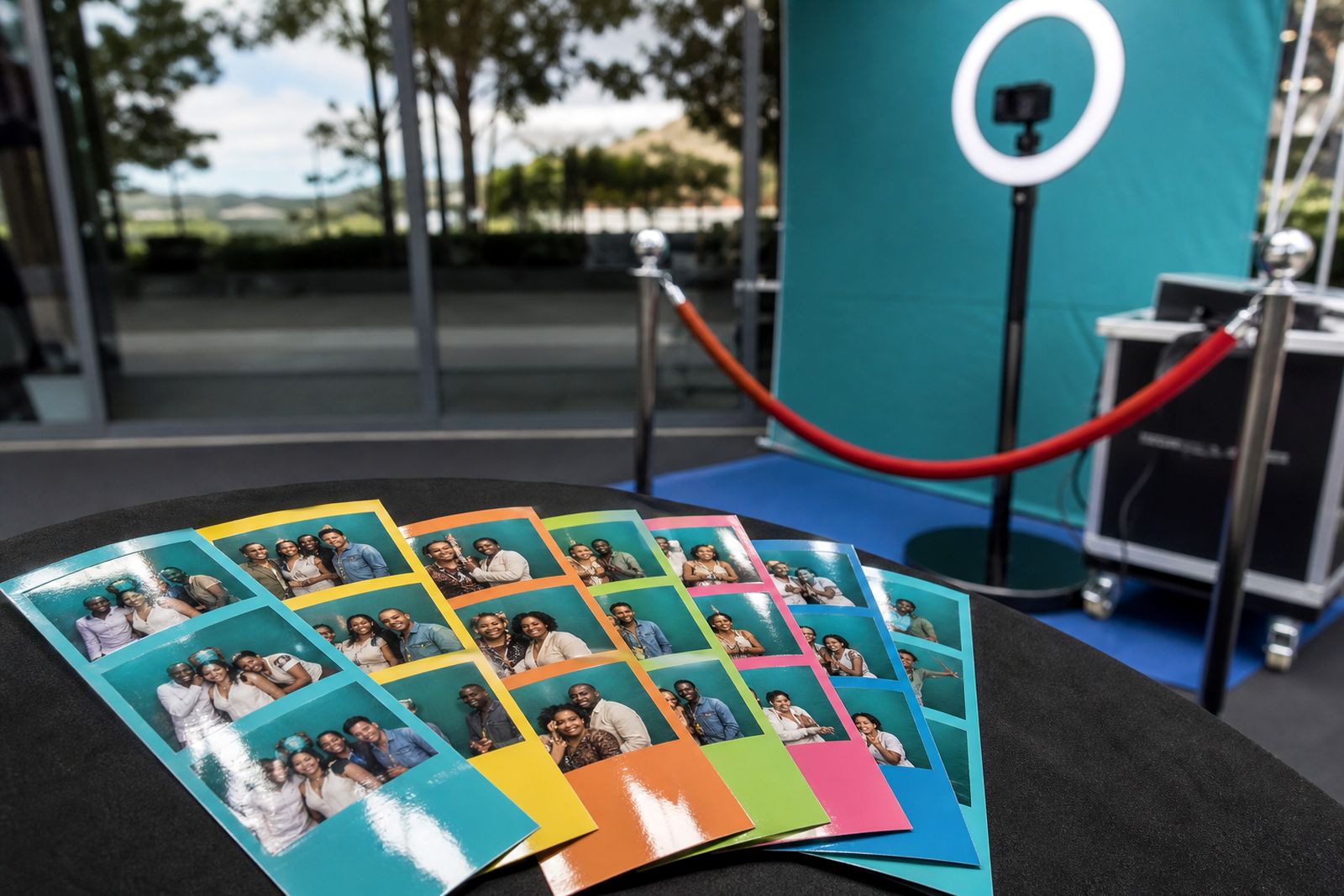
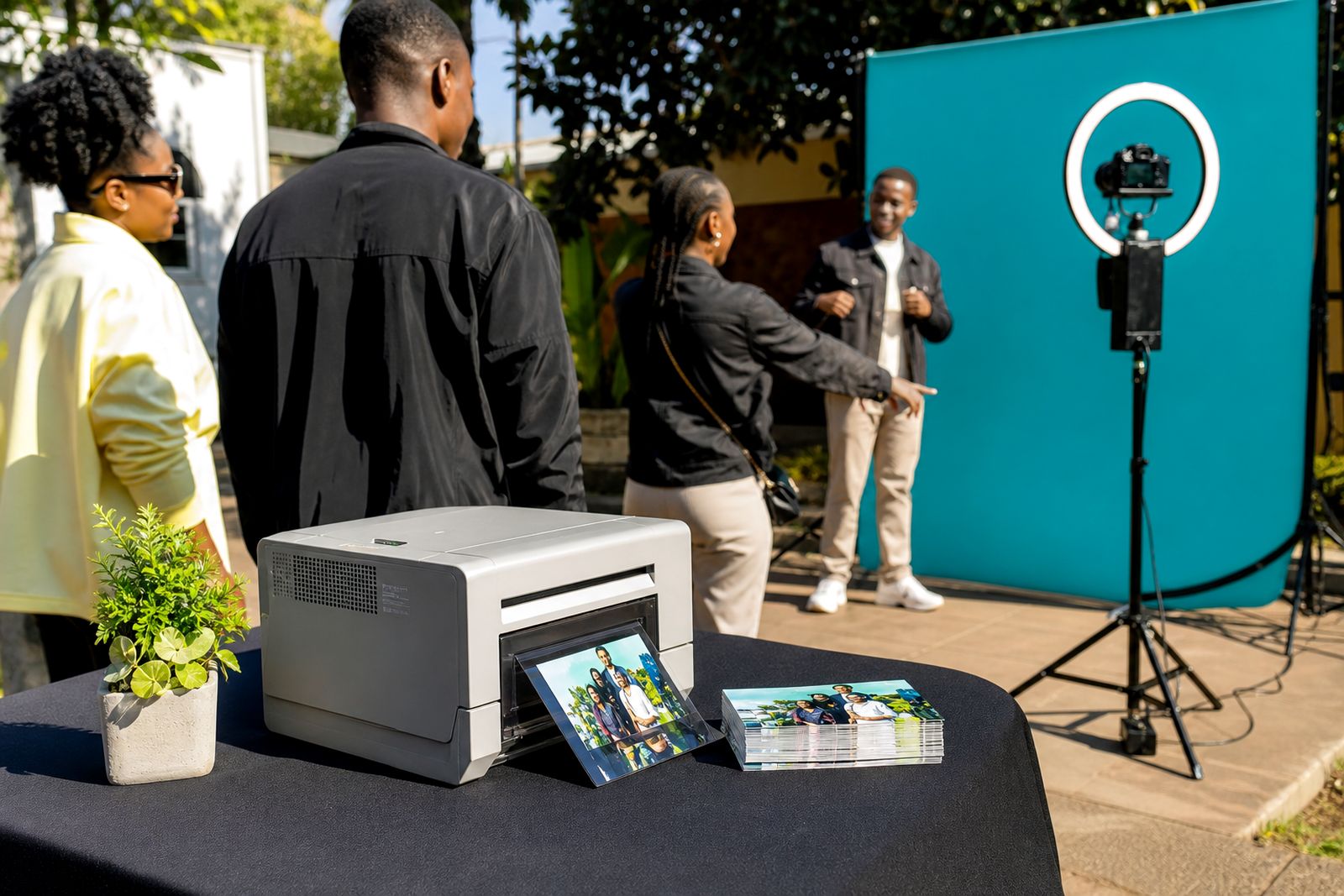
We offer three main formats: strips, postcards and branded frames. Each can be matched to the event artwork used on the open-air booth or supplied as a print-only activation. An attendant is on site to keep the station moving, check print quality and help guests collect or share their photos by QR code. If you need both physical prints and digital sharing we can set the layout so the branding stays consistent across both.
Print sizes and layout options
The right size depends on the crowd, the table space available and how detailed the artwork is. Small formats move quickly and are easy for expo visitors to carry. Larger formats give more room for logos, campaign lines and event themes, but they need cleaner artwork and a bit more handling space at the collection point.
- Photo strip: narrow vertical print, usually used for 3 or 4 image frames stacked top to bottom.
- Postcard print: rectangular print with one large image or a multi-image collage.
- Branded frame print: a photo with a heavier graphic border, logo placement and campaign message areas.
- Single image layout: best when the background, outfits or stand build should stay visible.
- Multi-image layout: useful when guests want a sequence of poses in one print.
Working limits are important. Very small logos, thin lines and light grey text do not always reproduce well on fast event printing. Busy artwork can also make faces look lost in the layout. As a guide, bold logos, clear contrast and a safe margin around the edge give the neatest result. If your campaign artwork has fine detail we may suggest moving some elements to the digital share screen instead of forcing too much onto the print.
Where each layout suits best
Strips work well where foot traffic is quick and visitors do not want to queue for long. That makes them a good fit for expo stands, registration areas and product launches with short dwell times. They are easy to hand over and simple to brand without covering the faces.
Postcards suit events where the print should feel more like a keepsake. They work nicely at year-end functions, networking evenings and launch areas with a feature backdrop. Because the image area is larger, postcard layouts also help when guests are photographed in groups rather than one or two people at a time.
Branded frame layouts are best when the campaign identity needs to be obvious at a glance. They suit sponsor walls, themed activations and formal corporate functions. They are less suitable if the artwork supplied is rushed, low resolution or packed with too many elements, as the print can start looking cramped. In those cases a cleaner postcard layout is usually the better option and it prints better too.
Site setup and installation needs
Print stations are straightforward to place, but they still need a practical site setup. The area should be level, under cover if possible, and close enough to the photo position that guests can collect prints without crossing a busy walkway. At expos in Johannesburg this often means planning around stand walls, storage doors and shared aisle traffic. At evening functions, lighting spill from nearby staging can affect the look of the photos if the station is set too close.
- Stable power point within a sensible cable run.
- One clear operating area for the printer, collection point and attendant.
- Protection from direct sun, wind and rain.
- Reasonable queue space so guests do not block a stand entrance.
- Access during setup for equipment cases and print stock.
If the venue has strict build times or municipal access rules for deliveries tell us upfront. Power cuts can affect any live activation, so if the event power is known to be uneven we need to know what backup arrangements the venue has. Coastal humidity can also affect paper handling and print finish, especially near open doors or marquees, so enclosed areas are better for longer sessions.
Artwork, care and day-of-use limits
Good artwork prep makes the biggest difference to the final print. We need your chosen layout direction, preferred logo position, brand colours and any wording that must appear. Keep text short. Event prints are viewed quickly and usually under mixed venue lighting, so simple messaging works best. If you have separate artwork for expo use and evening functions let us know because the same file does not always suit both.
On the day, the attendant monitors output and reloads stock as needed. Prints should be collected dry and flat, not stacked under drinks, gift bags or damp promo items. If the station is outdoors or close to catering, the print collection point needs a bit of protection. This sounds obvious but a misted drinks station beside the printer can become a problem fast.
- Use high-resolution artwork where possible.
- Avoid tiny legal text and thin outlines.
- Leave safe space around the edge for trimming tolerance.
- Tell us if the print must include a QR prompt or event hashtag.
- Note whether the layout is portrait or landscape.
What to send when you enquire
When you contact us through the enquiry form, send the basics first so we can point you to the right print format. We do not need a full event pack on the first message, but we do need enough to understand the venue conditions, the branding requirement and the expected pace of the activation.
- Event type: expo, launch or corporate year-end function.
- Town or area, with venue if confirmed.
- Preferred print format: strip, postcard or branded frame.
- Whether the print station is linked to an open-air booth or used on its own.
- Artwork status: ready, in progress or still to be briefed.
- Any venue restrictions on access times, power or floor space.
If you are not sure which layout to choose, say how the print will be used by guests after the event. A quick carry-away souvenir needs a different format from a more formal keepsake. Also mention if there will be children, high heels, narrow aisles or a standing cocktail setup as those details affect where the station should go and how the queue is managed. A few practical notes at the start saves time later.
What our Photo Booth Hire customers say
Verified Google reviews
Questions we get asked
Can one event use more than one print layout?
Yes, provided it is planned in advance. Some activations use a fast strip layout during busy expo periods and a postcard layout later when the flow slows down.
Do you supply the artwork for the print frame?
We work from the stand or event artwork supplied to us and can guide what will print cleanly. If the file is too busy or low resolution we will advise a simpler layout.
Is a print station suitable for outdoor events?
It can be, but only with proper cover and a stable operating area. Direct sun, wind, damp air and uneven power are the main issues to avoid.
Also worth a look
Book a booth
Send a note through our contact form with the event, the venue and the kind of booth you have in mind, and our team will reply with options.
Open the contact form