
QR sharing
Get event photos onto guests’ phones within seconds of each session. Our QR sharing setup links open-air booths, print stations and selected event activations to a branded, quick-scan collection page.
What QR sharing includes
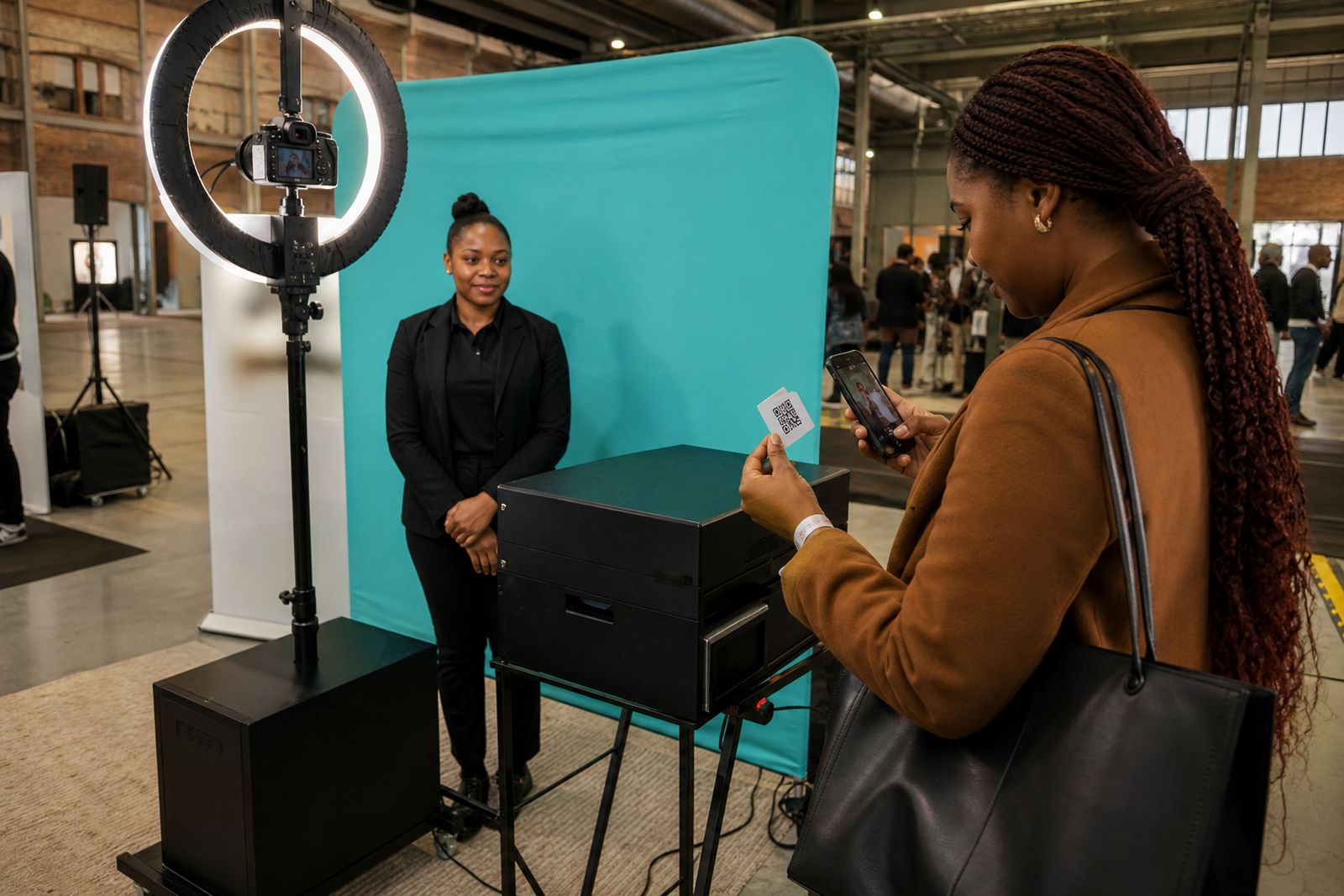
QR sharing is the digital hand-off that follows each photo session. Instead of waiting for a file after the event, guests scan a code on screen or at the print station and open their image gallery straight away on their phones. For expos, launches and corporate functions, this helps people leave with a branded memory while your team keeps the stand moving.
Our setup is managed on site by an attendant, who checks the flow, helps guests scan if needed and keeps the queue practical during busy patches. The QR page is matched to the event artwork so the visual look stays consistent with the stand and printed output. If there is a print station on the job, the guest can collect a print and scan for the digital copy in the same stop.
- Branded QR screen or display linked to the photo session
- Instant access to photos on compatible smartphones
- Artwork alignment with stand graphics or campaign visuals
- On-site attendant support during operating hours
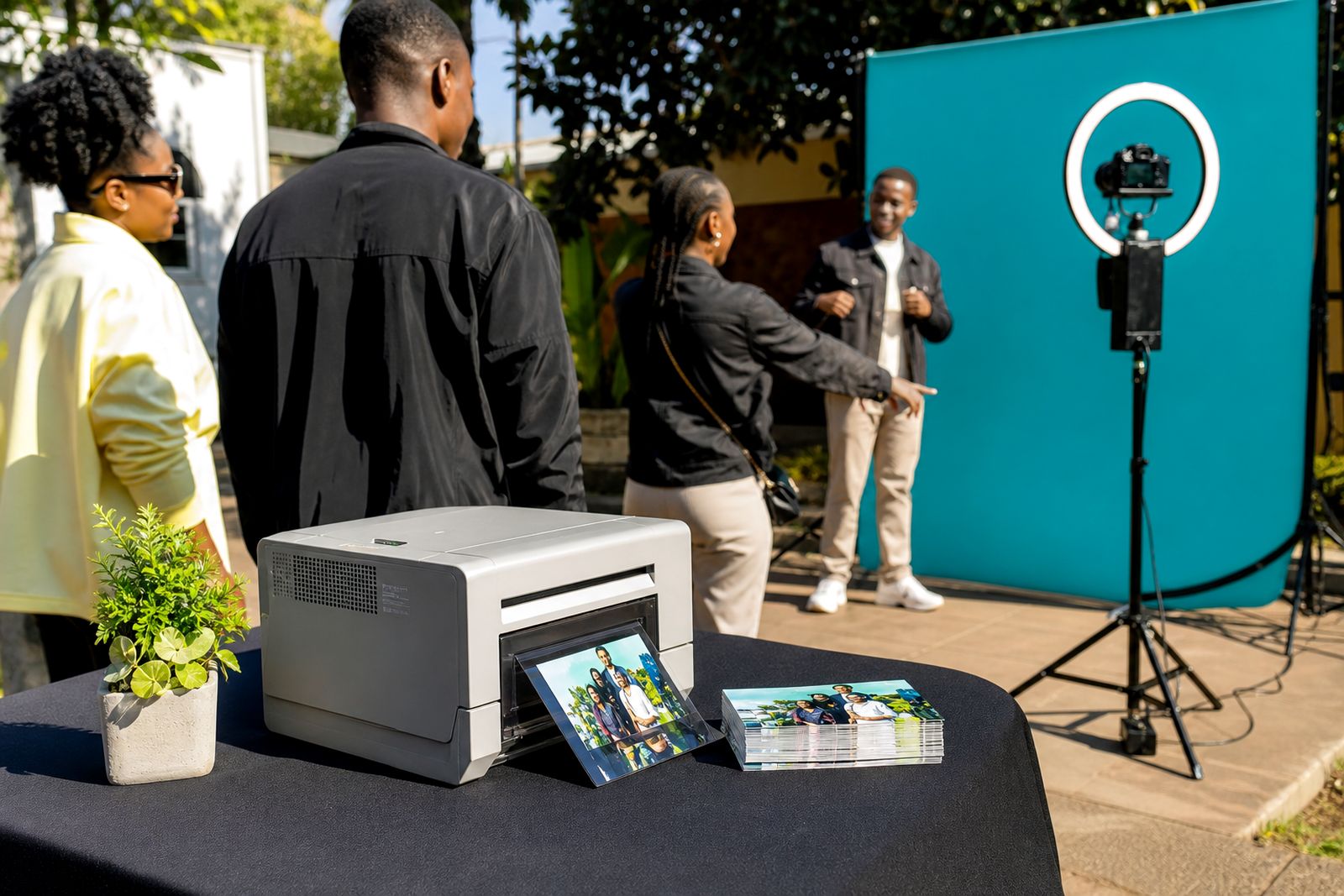
- Use with open-air booth sessions and selected print station setups
How the sharing process works on the day
The process is kept simple so guests do not need instructions longer than a sentence or two. After a photo is taken, the image is processed and made available through a unique QR code. In most expo environments this happens in seconds, provided signal and power on site are stable.
Guests step up, pose, review the image and then scan. If a print station is included, the print can run at the same time. For launches and year-end functions this works well because people often want both: something to take with them and something to post later. Our attendant keeps the line moving and checks that scanning is clear under venue lighting, which can vary a lot between halls and function spaces.
- The guest or group takes a photo.
- The system processes the image and applies the approved overlay or frame.
- A QR code appears on screen or at the collection point.
- The guest scans the code with a phone camera.
- The photo opens in a branded mobile view for saving or sharing.
If signal inside the venue is patchy, the guest can still scan and return to the file once phone reception improves. We will advise ahead of time if your event floor is known for weak mobile data in certain aisles.
What you need to prepare before setup
To keep handover smooth, we need final artwork and event details in good time before the booking date. This is especially important for expo work in Johannesburg where access windows can be tight and stand build schedules leave little room for late changes. If your team is coordinating booth graphics, backdrops and print layouts at the same time, it helps to send everything together.
Please also tell us where the activation will sit on the stand, how many open sides there are and whether the nearest power point is shared with other suppliers. In some venues there are strict rules on cable runs, late access and power cut-over times, so these details matter more than people expect.
- Final artwork in the required size and format
- Event date, access times and live operating hours
- Stand or room location, including floor plan if available
- A contact role for setup day and live event queries
- Power point position and any venue restrictions
- Whether prints, digital only, or both are required
If you are unsure about artwork sizes, our team will guide you on practical dimensions for screens, overlays and print layouts. It is better to check early than rush files the night before, that usually causes avoidable snags.
Practical specs and on-site requirements
QR sharing is quick, but it still depends on sensible event conditions. Good light, stable power and enough floor space all help. Our setup is intended for indoor expos, launches and corporate functions, though some covered outdoor areas can work if there is protection from wind, glare and damp air. In Gauteng summer storms can arrive fast, so any outdoor section must have proper cover and dry cable routes.
For phone delivery, the guest uses the camera or QR reader already on the device. No app download is normally needed. The mobile page should open on current smartphone browsers, and the file can then be saved or shared by the guest using the phone’s own options.
- Typical operating footprint depends on booth or print station layout
- Standard power supply required near the activation area
- Best results with steady venue lighting and clear signage
- Mobile data or venue connectivity affects final download speed
- Queue space should be allowed in front of the unit
Where a venue has frequent power interruptions or strict generator changeovers, please mention it in advance. We can then plan setup timing and equipment placement around that.
How pricing is worked out
QR sharing is quoted according to the event setup rather than as a one-size service. The main factors are the booth or print station type, hours on site, branding requirements, venue access conditions and whether the job is a single activation or part of a wider stand experience. Expos often need earlier setup and tighter operating control than a straightforward function booking, which can affect the quote.
Artwork complexity also matters. A simple branded overlay and QR page takes less preparation than a fully matched campaign look across prints, backdrops and digital delivery. If the event has multiple operating periods, split sessions or movement between spaces, that should be included from the start so the quote matches the live plan.
- Type of activation and equipment required
- Length of hire and on-site staffing hours
- Branding scope across print and digital outputs
- Venue access, parking and setup constraints
- Travel outside Johannesburg if applicable
For accurate pricing, send your brief through the enquiry form on our contact page and include the event type, date, venue area and whether you need prints as well as QR delivery.
Aftercare and post-event support
Once the event is finished, we remain available for reasonable follow-up linked to the booked service. That may include checking a delivery issue, confirming how the sharing flow worked on site, or assisting with a practical question about the output format. If there was a last-minute venue issue during the job, we can also note that for future planning so the next activation runs cleaner.
For repeat expo programmes or annual corporate functions, aftercare is useful because it shows where queueing built up, whether the scan point was visible enough and if the artwork frame read clearly on smaller phone screens. Sometimes a small layout adjustment makes a big difference at the next event.
We keep support practical and event-focused. The aim is simple: guests get their photos quickly, your branding stays visible and your team does not have to troubleshoot the sharing process during a busy function.
What our Photo Booth Hire customers say
Verified Google reviews
Questions we get asked
Do guests need to install an app to use QR sharing?
No. In most cases guests scan the code with the phone camera and open the photo in the browser.
Can QR sharing be used with printed photos as well?
Yes. It can be paired with a print station so guests receive a printed copy and a digital version from the same session.
What if the venue has weak mobile signal?
The scan can still be done on site, but final opening or saving may be slower. Tell us about known signal issues beforehand and we will advise on the best setup.
Also worth a look
Book a booth
Send a note through our contact form with the event, the venue and the kind of booth you have in mind, and our team will reply with options.
Open the contact form